

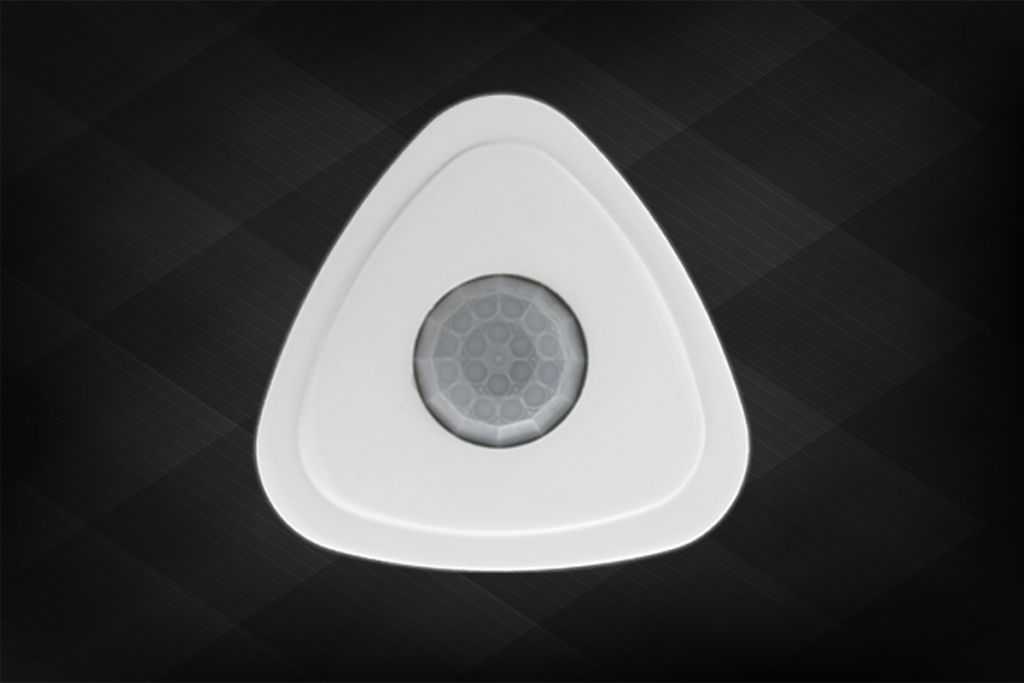
Three Way Sensor

Solid Construction

Introducing our cutting-edge 360° Motion Activated Occupancy and Light Control Sensor, designed with advanced Passive Infrared Motion Sensor technology. This innovative device drastically reduces energy consumption for users by detecting infrared heat emitted from occupants within its coverage area. Upon detecting movement, it automatically illuminates the area, ensuring ample light for tasks. When occupants leave or ambient light exceeds preset levels, it intelligently switches off. With automated lighting control, users can save up to 60% on energy, making it a sustainable choice for any environmen
Features
  • High Strength Material Crafted from premium-grade materials, our product boasts exceptional durability and reliability. Engineered to withstand the rigors of daily use, it ensures long-lasting performance, providing peace of mind to users.
  • Elegant Aesthetics Design Combining functionality with style, our product features a sleek and sophisticated design. Its elegant aesthetics seamlessly blend into any environment, enhancing the visual appeal of the space while delivering top-notch performance.
  • Drive . . . . . . . . Relay 1200Watts Equipped with a robust relay capable of handling up to 1200 watts of power, our product offers unparalleled performance and efficiency. Whether for residential or commercial applications, it provides reliable power distribution, ensuring smooth operation.
  • Coverage Area . . . . 450 Sq.Ft With a wide coverage area of 450 square feet, our product effectively illuminates large spaces with ease. From offices to warehouses, it provides ample lighting coverage, optimizing visibility and productivity.
  • Install Height . . . . 8 Ft Designed for easy installation, our product is optimized for a mounting height of 8 feet. This height ensures optimal performance and coverage, making it suitable for various indoor environments.

Model

Premium

Three Way Sensor

It detects your single minor movement
Sensitivity
This setting controls the minimum amount of movement required for the sensor to detect whether a given area is occupied (human movement is used for detection) and turn ON the lights. Sensors are shipped with this setting set to the most sensitive position. The customer can manually change this setting on the sensor using a remote control unit.
Setting Storage
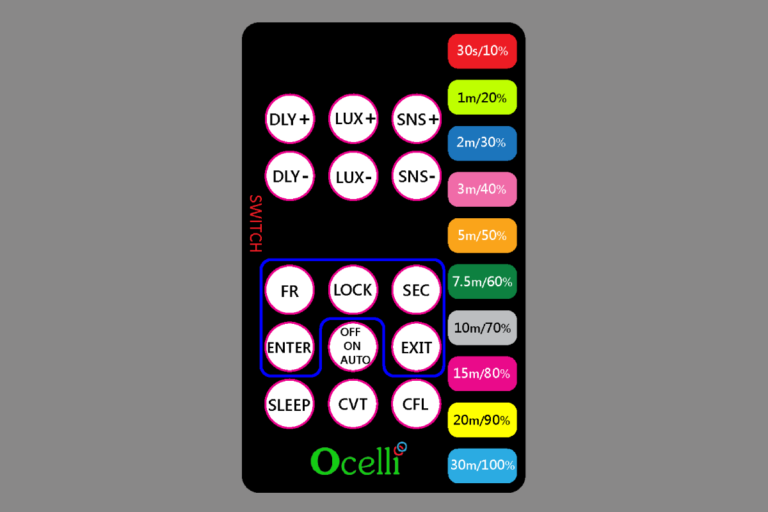
When a remote control is used to change any setting, the setting is automatically saved into the sensors permanent memory. This helps the sensor to retain the setting even after a power loss The setting can be overridden by entering the override mode on the remote control there by reverting back to hardware based settings..
Lux
The Lux Level setting of the sensor controls the switching ON and OFF or dimming level of artificial lighting. The customer can manually change this setting on the sensor using a remote control unit.
Visual Cue
Sensors provide visual cue during configuration of settings. The RGB LED light up in different colors depending on the current value of the setting being changed.
Time Delay
This is the duration that the sensor maintains the lights (or any other load connected to it) in the ON condition after the last occupancy is detected. Sensors are shipped with this parameter set at 5 min. The customer can manually change this setting using a remote control from 30sec to 30min.
Three Way Option
Three way sensors are a combination of occupancy and vacancy sensors. The load can be turned ON either automatically by occupancy detection or manually by means of an external switch. Turning off is always automatic upon vacancy as detected based on a user settable time delay. This mode is typically used in conjunction with two/three way switches in stairs.
Remote Control
Sensors can be remotely controlled by an Infrared (IR) remote control. This enables better control of the sensor�s parameters during installation. Sensor provides a visual cue to indicate the setting being changed and also value of the settings.
On-Demand Mode
This mode is used to provide on-demand lighting. User can select three different mode of the sensor. ‘Always OFF’ mode indicated by red color LED indication; ‘Always ON’ mode indicated by green color LED indication; ‘Auto’ mode indicated by yellow color LED indication
Previous slide
Next slide
Please enable JavaScript in your browser to complete this form.
Name